


Maximizing Smartsheet Efficiency: A Comprehensive Audit Guide
- Rochelle Benjamin

- Dec 22, 2025
- 3 min read
Updated: Jan 12
Most Smartsheet environments do not fail because the tool is wrong. They fail because the system was never designed with enough clarity.
When teams ask me to audit their Smartsheet environment, they often expect a technical review. They assume I am going to point out broken formulas, messy sheets, or automations that misfire. Those things show up. But they are never the root problem.
An audit is really a systems conversation. It tells me how the work flows, where decisions break down, and whether the system actually supports the people using it.
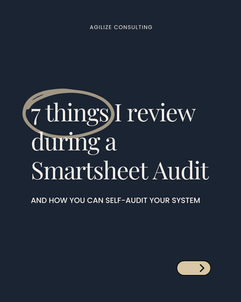
Here are the seven things I always review during a Smartsheet audit, and how you can use the same lens to self-audit your own system.
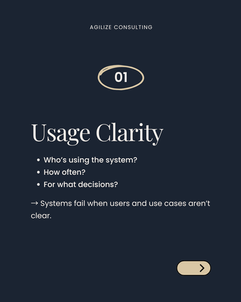
1. Usage Clarity
The first question is simple and often uncomfortable.
Who is this system for?
I look at who uses Smartsheet, how often they touch it, and what decisions they rely on it for. If a system tries to serve everyone equally, it usually serves no one well.
When usage is unclear, teams overbuild. They add fields “just in case,” dashboards for hypothetical stakeholders, and workflows that no one owns. Systems fail when users and use cases are vague.
2. Sheet Structure
Sheets tell the truth about planning.
I review column types, formula design, and data consistency. Clean structure usually signals intentional design. Patchwork formulas and inconsistent inputs tell me the system grew reactively.
This is not about perfection. It is about coherence. A well-structured sheet reduces cognitive load and makes downstream reporting possible. A messy one guarantees rework later.
3. Automation Quality
Automation should support the workflow, not create noise.
I look closely at whether automations reinforce real process steps or simply react to data changes. Most automation failures are logic problems, not technical ones.
If alerts fire constantly, people stop trusting them. If approvals trigger without context, they stall. Good automation mirrors how work actually moves.
4. Dashboard Accuracy
Dashboards are trust instruments.
I ask whether the right people are seeing the right data at the right level. If leadership does not trust what they see, adoption collapses quietly.
Accuracy is not just about correct formulas. It is about relevance. A dashboard should answer a decision, not display activity for its own sake.
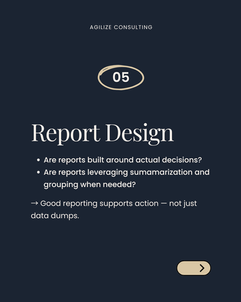
5. Report Design
Reports should drive action.
I review whether reports reflect real decisions or simply aggregate everything available. Summarization and grouping matter here. Without them, reports become data dumps that no one uses.
When reports are designed around decisions, they become operational tools instead of reference material.
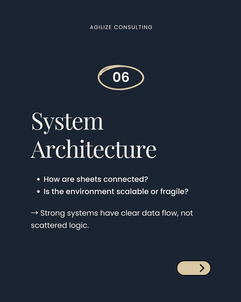
6. System Architecture
This is where patterns emerge.
I look at how sheets connect, where data lives, and whether logic is centralized or scattered. Strong systems have clear data flow. Fragile systems rely on hidden dependencies and duplicated logic.
Scalability is not about size. It is about whether the system can absorb change without breaking.
7. Readiness for Change
At the end of every audit, one question matters most.
Does this system need a cleanup, a rebuild, or a new process entirely?
Not everything needs to be torn down. Some systems need pruning. Others need a clearer foundation. The audit reveals which path makes sense and removes guesswork from the next step.
Clarity creates momentum.
Enhancing Your Smartsheet Experience
To truly maximize your Smartsheet experience, consider the following strategies:
Invest in Training
Training is essential. Ensure that all users understand how to navigate and utilize Smartsheet effectively. This investment pays off in the long run.
Regular Reviews
Conduct regular reviews of your Smartsheet environment. This helps identify issues before they escalate. A proactive approach can save time and resources.
Feedback Loops
Create feedback loops within your team. Encourage users to share their experiences and challenges. This information is invaluable for continuous improvement.
Utilize Templates
Leverage Smartsheet templates for consistency. Templates can streamline processes and reduce the learning curve for new users.
Integrate with Other Tools
Consider integrating Smartsheet with other tools your team uses. This can enhance functionality and improve overall efficiency.
A Final Thought
A Smartsheet audit is not an evaluation of effort. It is an evaluation of alignment. When tools, processes, and people line up, the system feels calm. When they do not, no amount of configuration will fix it.
If your Smartsheet environment feels heavier instead of lighter, it may be time to pause and look at the system as a whole. You can download my free self-audit workbook below to get started.
That is where clarity begins.







Comments